
App feature
AI Trip Planner
A full day-by-day plan from a few answers.
Planning a road trip usually means juggling maps, blogs and spreadsheets. TripYara asks a few questions — where you start, where you are going, your dates, how you are travelling and who is coming — and generates a complete day-by-day plan you can follow.
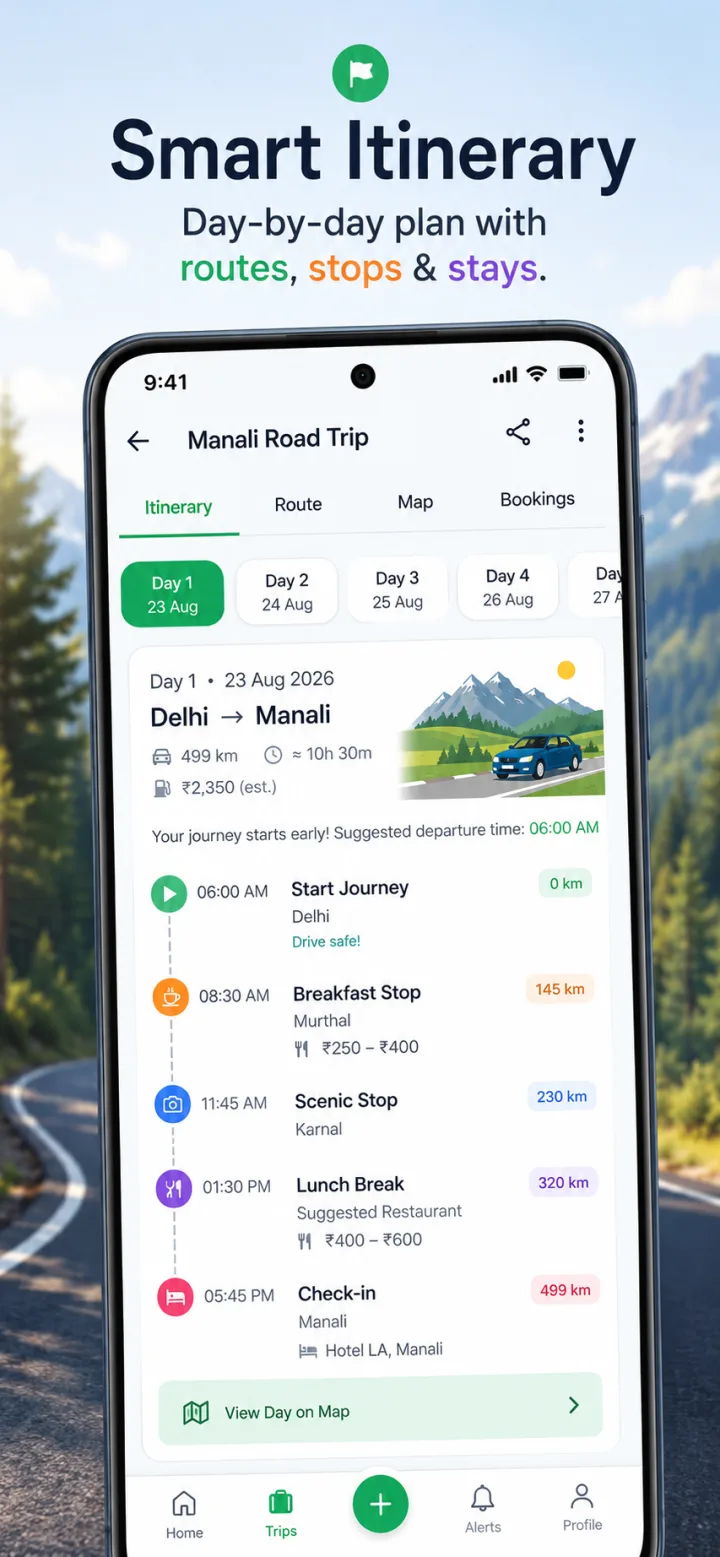
Day-by-day plan
Each day lists where you start, where you end up, and timed stops along the way — breakfast, scenic points, lunch and check-in.
Route segments
Distance and approximate driving time for every leg, so long days are visible before you commit to them.
Suggested stays
Hotel suggestions near each night's stop, with Google ratings where available.
Weather preview
Before you generate, the review step shows a forecast for your departure date when it falls within the forecast window.
How it works
- Choose your starting point and destination.
- Pick departure and return dates. Trips can be up to 21 days long, and short same-day round trips are supported.
- Select how you are travelling (for example your own car) and how many people are going.
- Set your pace and preferences, then review and generate.
- Open the trip dashboard to see your itinerary, route, packing list, fuel plan and more.
Good to know
- AI-generated plans are a starting point. Road conditions, opening hours and prices change, so confirm critical details locally.
- Generating a trip needs an internet connection. Once it is ready, you can keep it on your phone — see offline trips.
Keep planning
- ItinerariesAll itinerariesDay-wise plans you can adapt.
- App featureOffline TripsYour plan stays with you when the signal doesn't.
- Trip planningHow to prepare your trip before you lose mobile networkA practical checklist for mountain and remote trips: what to save on your phone, what to print, and how to plan fuel, cash and emergency contacts before the signal drops.